Wikis ask you to write.Rendoc only asks you to read.
What you read shouldn't evaporate. Notes stick to the source, terminology stays consistent across your team, and you're always right where you left off — knowledge as a byproduct of reading, not extra work.
The retry interval defaults to 30 s, but the gateway times out at 25 s — retries never get a response; set the interval below 20 s in production.
Hit this in prod: change this first, or every retry is wasted.
Highlight a passage — the note sticks right beside it.
It's Not Your Memory — It's Tools That Demand Work
Note apps want you to organize. Wikis want you to document. Knowledge bases want you to file things away. You read something carefully, and what you learned scatters across five places — highlights in the PDF, notes in another app, insights in a chat thread, terms in a spreadsheet, context only in your head. Two weeks later: gone.
That paper you studied last month — this week you need it for your related work. Highlights are in the PDF, method notes in another app, the discussion with your advisor buried in a chat thread. You spend an afternoon reassembling what you already understood.
"Half of my reading time goes to re-reading what I've already read."
Three months ago you worked through the entire architecture doc to fix that bug — and took notes. Today the same problem is back. Where are the notes? Notion? Some Slack thread? You end up re-reading the whole document.
"It's not that I haven't read it. I just can't find what I read."
Three competitor reports. You read them, the designer read them, your boss read them — three sets of takeaways in three different places. In the meeting you still align from zero, and everyone calls the same feature something different.
"The whole team has read it, but the knowledge only exists in each person's head."
Midterm review. You open the textbook — you understood this three months ago, but now it reads like the first time. The highlights are all still there; the 'why this matters' behind them isn't. You're effectively retaking the course.
"My highlights survived. My understanding didn't."
You reviewed a similar contract six months ago — the precedents you checked, the interpretations you confirmed with the client, all in your head and on scattered sticky notes. New case, same clauses, and the research starts from scratch.
"Experience should stay on the document — not walk out when the meeting ends."
What if your tools asked for nothing?
Install Rendoc, open a document, read. Notes stick to the source, terminology stays consistent, and everything your team has read is kept. That's it.
Your First Document in 30 Seconds
No account, no setup. Install the extension, open a file, start reading.
Install & Go
One click to add to Chrome. No sign-up, no config — start reading right away.
Open Any Document
Markdown, PDF, Word, spreadsheets, audio & video, code — supported natively.
Select to Understand
Highlight a passage — translate, explain, simplify, or deep-dive without switching windows.
Thoughts Stay on the Text
Write notes right next to the paragraph. They stick to that exact passage — no separate filing.
What You Read Is Kept
Notes, terms, and reading history sync across devices — and can be shared with your team.
One Tool for Every Document
Stop hunting for a separate app for every file type. Whatever you normally read, Rendoc opens — with notes and the AI reading assistant working across all of it.
Markdown
Read .md right in the browser with native rendering and syntax highlighting — it reads like a document, not like source code.
.md .mdxPage-by-page AI translation and Vision OCR for scans. Processed pages are cached — never do the same page twice.
.pdfVideo
Auto-loaded subtitles, plus in-browser Whisper transcripts — edit, sync, and export to SRT/TXT/MD.
.mp4 .webm .mkv .movAudio
Lectures, interviews, podcasts — the transcript follows playback, so key points are one step away from being notes.
.mp3 .m4a .wav .oggWord
Open .docx directly, no Office required. Read, annotate, and look things up in one flow.
.docx .docExcel / CSV
View spreadsheets and CSV right in the browser — data you can actually read and query.
.xlsx .csvImages
Vision AI reads images — extract and understand text from screenshots, diagrams, and photos.
.png .jpg .webpCode Files
Syntax highlighting plus JSON Tree View. Understand comments and docs while the code itself stays untouched.
.ts .py .json .yamlYou Just Read. The Rest Stays Behind on Its Own.
No organizing, no filing. Annotations stick to the source, terminology stays consistent team-wide, and your reading history follows you across devices — knowledge as a byproduct of reading.
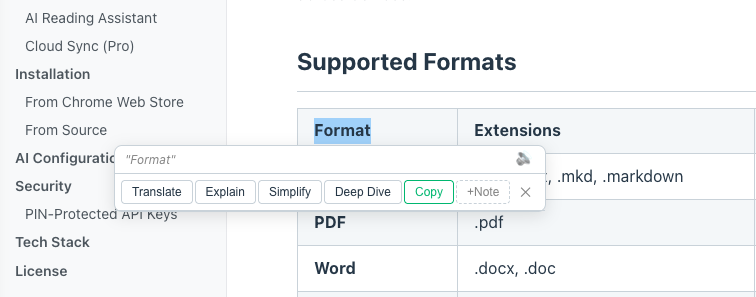
AI Reading Assistant
Select any passage — translate, explain, simplify, or deep-dive. It knows the context and your glossary, and the answer appears right next to the source.
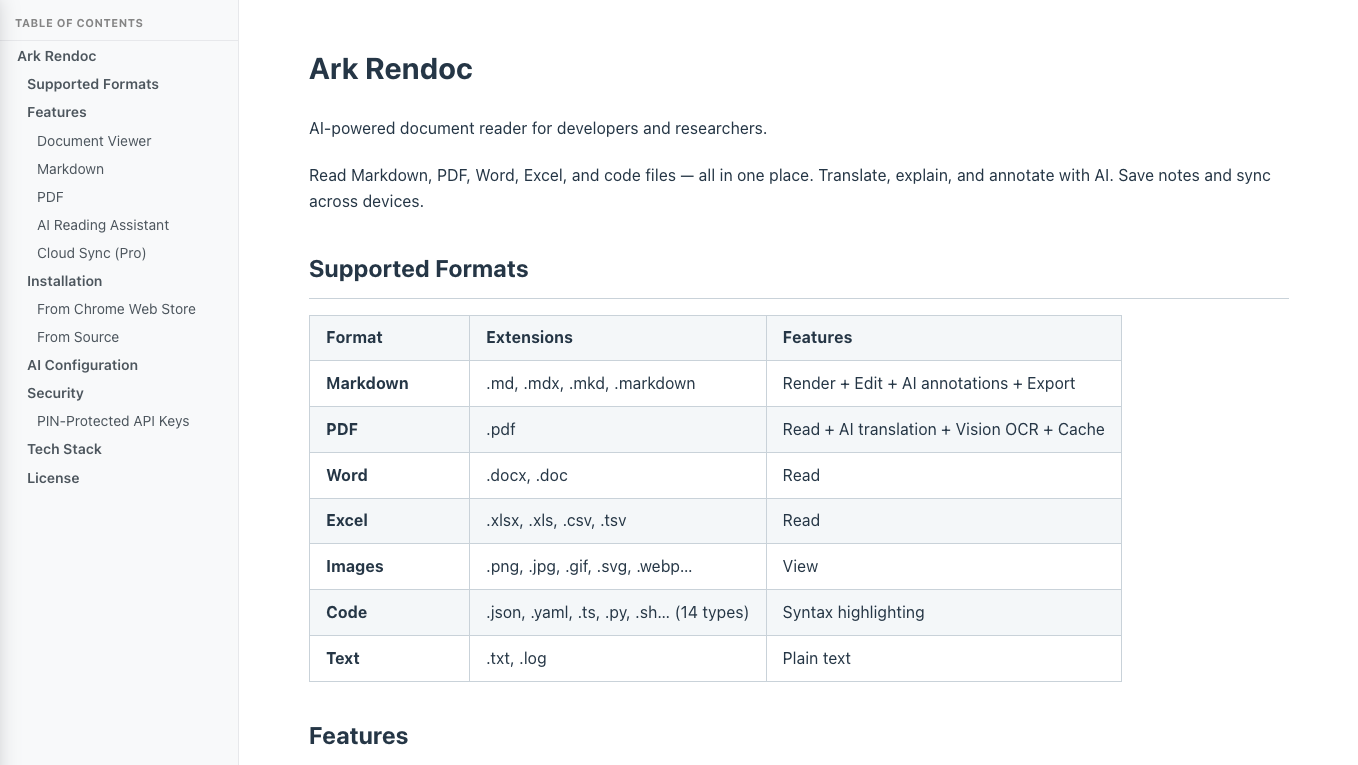
Hive Pool
One person reads, the whole team benefits. Passages already processed in a shared document are reused at zero credit cost.
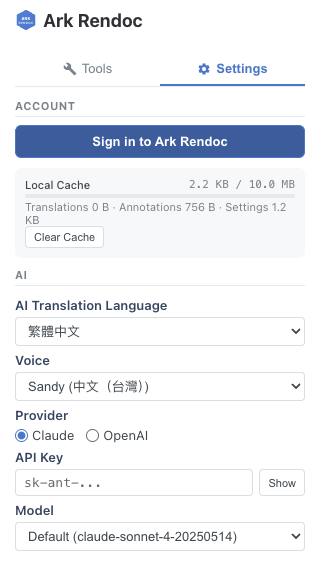
Hive Cache
Every translation is kept automatically, so you can pick up on any device. Where you stopped and what you looked up is still there next time.
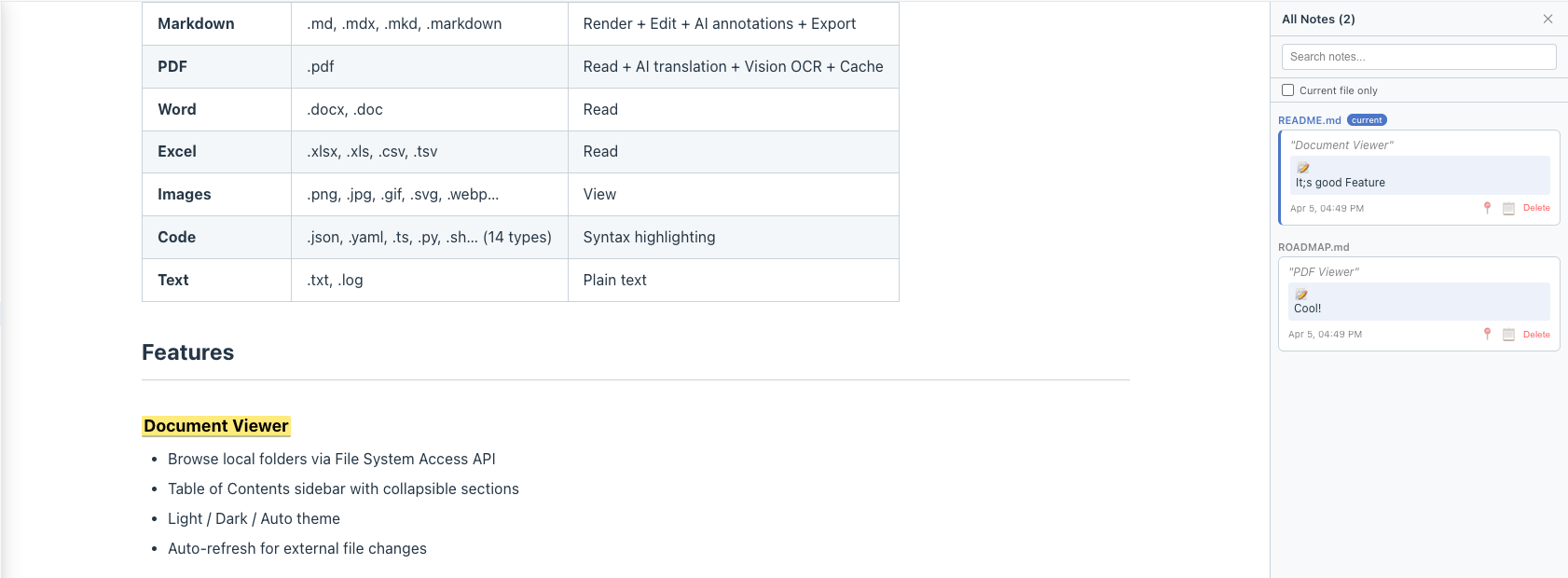
Hive Notes
Notes stick right next to the paragraph. Open the same document on another machine, and your understanding is waiting where you left it.
AI Reading Assistant
Select any passage — translate, explain, simplify, or deep-dive. It knows the context and your glossary, and the answer appears right next to the source.
Hive Cache
Every translation is kept automatically, so you can pick up on any device. Where you stopped and what you looked up is still there next time.
Hive Pool
One person reads, the whole team benefits. Passages already processed in a shared document are reused at zero credit cost.
Hive Dict
Define a term once, consistent everywhere. Your glossary is applied to every AI request — no more three names for the same thing.
Hive Notes
Notes stick right next to the paragraph. Open the same document on another machine, and your understanding is waiting where you left it.
Team Documents
The pitfalls you hit, newcomers see the moment they open the file. Documents live in a team space with everyone's margin notes and settled decisions right beside the source — a new hire's first day starts with the whole team's reading trail, not a blank page.
What You've Read Starts Working for You
These aren't live yet — but they're where this knowledge base is headed.
Hive Mind
AI reads the whole document and drafts structured knowledge cards — each one verified against the source text, finalized by you.
Hive Market
Domain knowledge packs — expert terminology and annotations for CS, legal, medical, and more. Install and go.
Agent Access
The knowledge you leave behind becomes available to AI agents — plugged into your workflow via MCP.
Start Reading Free. Pay to Keep More.
Scout is free to start, and bringing your own API key unlocks the full AI feature set — no feature walls. Paid plans keep what you read: cross-device sync, managed AI with no keys, team reading.
Scout
10 credits/mo
Free on-device translation — works offline, files never leave your computer. Plus 10 credits to try cloud AI; bring your own key for unlimited use.
Worker
100 credits/mo
Your personal reading archive — everything you read kept across devices, managed AI, no keys to manage.
Colony
300 credits/mo
The heavy reader's toolkit — Whisper transcripts, Hive Dict terminology library, everything you read kept.
Queen
500 credits/mo
For organizations — team shared annotations, unlimited transcription, priority support.
Frequently Asked Questions
Everything you need to know about how Rendoc works under the hood.
Notes are organized by workspace. Each workspace is an independent space — like a project folder. All your annotations within a workspace are grouped together, so switching between projects is seamless.
Notes are linked to the file name, not the file path. If you move a file to a different location within a workspace, your notes will still be attached as long as the file name stays the same. Rename the file and the notes will need to be re-linked.
All your notes and translations are stored locally in the browser first — so everything works offline and instantly. When you're on a paid plan, your data syncs to the cloud automatically. If you go offline, changes are queued and synced when you reconnect. Local-first means you never lose your work.
The free Scout plan includes Chrome's built-in on-device translation: the model runs directly on your computer — nothing is uploaded, nothing touches a server, your files never leave your machine, and it works offline. Completely free, zero credits. When you want higher-quality cloud AI (explain, simplify, deep-dive), use credits or bring your own API key.
If you already have an OpenAI or Claude API key, you can plug it into Rendoc to use the cloud AI features without spending any Rendoc credits — though API costs are still billed to your own account. Paid plans handle the API for you, with a fixed monthly credit allowance per plan, so you don't need to set up your own key — just open and go. Note: platform features like Hive Mind (AI knowledge extraction, coming soon) will require a paid plan regardless of BYOK.
Your experience never breaks. When paid credits are used up, Rendoc automatically falls back to your own API key if you've set one up. If you haven't, you'll be prompted to either add a key or upgrade your plan. No hard stop, no lost work.
Whisper runs entirely in your browser — no upload, no server, your files never leave your device. It supports 12 languages and generates time-synced transcripts. You can edit the transcript inline, merge or split lines, and export to SRT, TXT, or Markdown. Transcription is available on the Colony plan ($19) and above, with 20 hours/month. Queen plan gets unlimited.
Hive Mind is our upcoming AI knowledge extraction feature. Instead of manually highlighting key points, AI reads the entire document and produces 3-10 structured knowledge cards with source references. Each card is verified against the original text — if the AI can't find the source, it's flagged. You review, edit, and confirm. Planned for the Colony plan and above. Coming soon.
Rendoc supports Markdown (.md, .mdx), PDF (with Vision OCR), Word (.docx), Excel (.xlsx, .csv), images (.png, .jpg, .webp), code files with JSON Tree View (.ts, .py, .json, .yaml, etc.), video (.mp4, .webm, .mkv, .mov), audio (.mp3, .m4a, .wav, .ogg), and plain text.
Everything you read keeps working for you and your team.
Install the extension and open your next document. Notes, terms, reading history — it all starts accumulating today.
Already have an account · Log in